









What Happens When You Switch On a Computer Step by Step Explanation
Switching On The Computer is one of the first and most basic tasks in computer science learning. It refers to the correct process of starting a computer system so that it becomes ready for use. Understanding this process helps students learn how hardware components and the operating system work together. Knowing the proper steps ensures safe startup, protects devices from damage, and prevents data loss. This topic builds a strong foundation in computer fundamentals and introduces learners to essential concepts like power supply, booting, login, and system loading.
Definition and Meaning
Switching On The Computer definition refers to the step-by-step process of supplying power to a computer system and allowing it to load the operating system so that the user can begin working.
- Main Power Switch - The primary electrical switch that supplies power to the system.
- UPS - Uninterruptible Power Supply that provides backup power.
- CPU Cabinet - The main processing unit containing internal hardware.
- Monitor - The display device that shows output.
- Booting - The process of loading the operating system into memory.
How It Works - Working Principle
The Switching On The Computer working process involves supplying electricity to various hardware components and allowing the operating system to load into memory. The computer follows a specific sequence to ensure proper startup.
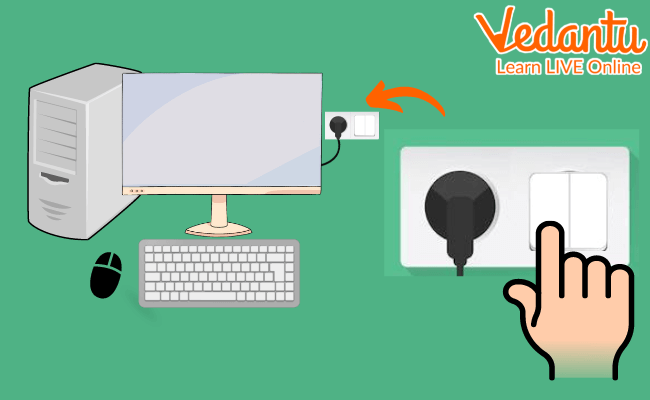
- Turn on the Main Power Switch to supply electricity.
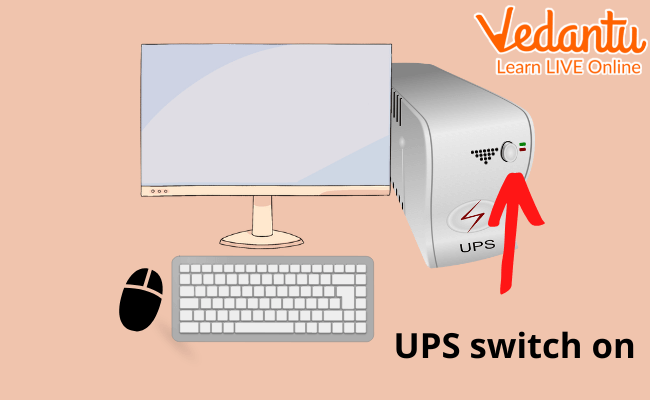
- Switch on the UPS to ensure backup power supply.
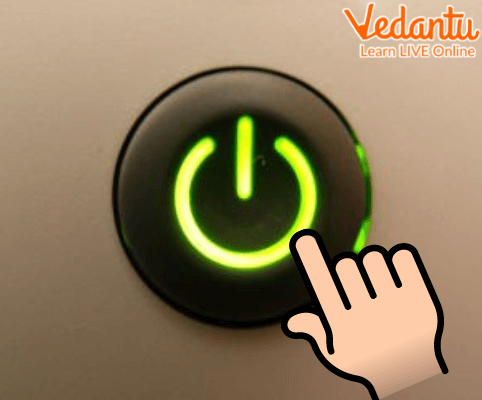
- Press the CPU Power Button to start the processing unit.
- Turn on the Monitor to view the display.

- Wait for the Login Screen to appear and enter credentials.

- After successful login, the Home Screen appears and the system is ready to use.
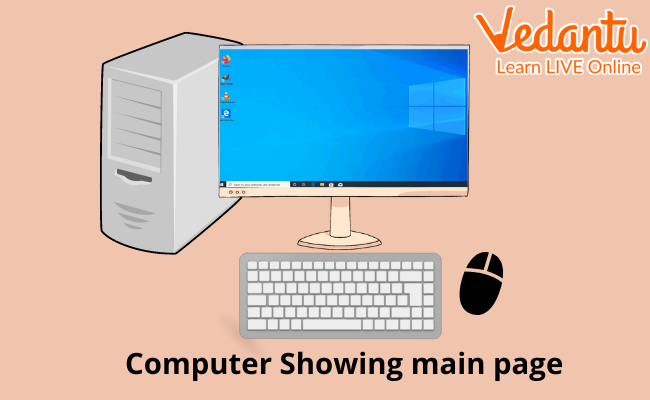
During this process, the computer performs a Power On Self Test - POST, checks hardware components, and loads the operating system from storage into RAM.
Types and Classification
Switching On The Computer can be classified based on the type of booting process.
- Cold Booting - Starting the computer from a completely powered-off state.
- Warm Booting - Restarting the computer without turning off the main power.
Components and Structure
Several hardware components are involved in Switching On The Computer in computer science.
- Power Supply Unit - PSU - Converts AC power into usable DC power.
- Motherboard - Connects all hardware components.
- CPU - Executes instructions during startup.
- RAM - Temporarily stores operating system files during booting.
- Storage Device - Contains the operating system.
Features and Characteristics
- Follows a systematic startup sequence.
- Includes hardware checking through POST.
- Loads the operating system automatically.
- Provides user authentication through login.
- Ensures system stability before use.
Advantages
- Ensures safe and proper startup of hardware.
- Prevents damage due to sudden power supply.
- Allows secure user login.
- Prepares system resources efficiently.
Disadvantages / Limitations
- Takes time to load the operating system.
- Improper sequence may cause system errors.
- Power failure during startup may lead to data issues.
Applications and Use Cases
- Used in schools and offices to begin daily computer operations.
- Essential for starting servers and network systems.
- Required in laboratories for programming and research tasks.
- Important for personal home computing activities.
Quick Facts About Switching On The Computer
| Category | Details |
|---|---|
| Type | Computer Fundamental Operation |
| Main Process | Booting |
| Hardware Involved | PSU, CPU, RAM, Motherboard, Monitor |
| System Check | Power On Self Test - POST |
| Common Types | Cold Boot and Warm Boot |
These quick facts summarize the key technical aspects involved in Switching On The Computer in computer science.
Interesting Facts About Switching On The Computer
- POST checks hardware before the operating system loads.
- Modern computers boot much faster due to SSD storage.
- BIOS or UEFI controls the initial startup process.
- Warm booting is usually faster than cold booting.
- Improper shutdowns can affect the next startup.
- Servers often use automatic power recovery after outages.
Conclusion
Switching On The Computer is a fundamental concept in computer science that introduces learners to the startup process of a computer system. It involves powering hardware components, performing system checks, and loading the operating system through booting. Understanding this process helps users operate computers safely and efficiently. Mastering this basic yet important concept forms the foundation for learning advanced topics in hardware, operating systems, and system management.
FAQs on Switching On The Computer and Understanding the Booting Process
1. What is switching on the computer?
Switching on the computer is the process of powering up a computer system to load the operating system and make the system ready for use.
- Involves pressing the power button on the CPU or laptop
- Initiates the booting process
- Loads system software like Windows, Linux, or macOS into memory
2. What happens internally when a computer is switched on?
When a computer is switched on, the system performs hardware checks and loads the operating system into RAM through a process called booting.
- Power Supply Unit (PSU) supplies electricity to components
- BIOS/UEFI performs POST (Power-On Self-Test)
- Bootloader loads the operating system kernel
3. What is the booting process in a computer?
The booting process is the sequence of steps that starts the computer and loads the operating system into memory.
- Cold booting: Starting after complete shutdown
- Warm booting: Restarting without turning off power
- Controlled by BIOS/UEFI firmware
4. What is BIOS and what is its role when switching on the computer?
BIOS (Basic Input/Output System) is firmware that initializes hardware components during startup.
- Performs POST to check RAM, CPU, and storage
- Detects bootable devices like HDD, SSD, USB
- Transfers control to the bootloader
5. What is POST in the computer startup process?
POST (Power-On Self-Test) is a diagnostic process that checks essential hardware components when the computer is switched on.
- Tests RAM, keyboard, processor, and storage
- Displays error messages or beep codes if faults occur
- Ensures hardware is functioning before OS loading
6. What are the main components involved when switching on a computer?
Several hardware components work together during the startup process of a computer.
- Power Supply Unit (PSU)
- Motherboard and CPU
- RAM and Storage Devices
- BIOS/UEFI firmware
7. What is the difference between cold booting and warm booting?
Cold booting starts the computer from a powered-off state, while warm booting restarts it without cutting power.
- Cold Boot: Complete hardware initialization
- Warm Boot: Triggered using Restart option or Ctrl + Alt + Del
- Warm boot is usually faster than cold boot
8. Why is the operating system important when switching on the computer?
The operating system (OS) manages hardware and software resources after the computer is switched on.
- Provides user interface (GUI or CLI)
- Manages CPU, memory, and storage
- Allows execution of application software
9. What are common problems faced while switching on a computer?
Common startup problems occur due to hardware faults, software errors, or power issues.
- No power due to faulty PSU or cables
- POST error caused by RAM or motherboard issues
- Operating system corruption or missing boot files
10. Why is understanding the computer startup process important for exams and interviews?
Understanding how a computer switches on helps in exams, competitive tests, and technical interviews in Computer Science.
- Frequently asked in school and college exams
- Important for hardware, operating system, and networking fundamentals
- Useful for troubleshooting and system administration roles
