








What Is a Keyboard How It Works Types and Key Components
A keyboard is one of the most essential input devices used in computer systems. It allows users to enter text, numbers, and commands into a computer efficiently. From writing documents and coding programs to browsing the internet and playing games, the keyboard plays a crucial role in daily computing tasks. In computer science, understanding the keyboard helps students learn how input devices work, how data is entered into a system, and how hardware interacts with software. It is a fundamental component of both desktop and laptop computers.
Definition and Meaning
Keyboard definition: A keyboard is a hardware input device that consists of a set of keys used to input data and instructions into a computer system.
- Input Device - A device used to send data to a computer.
- Keys - Individual buttons on the keyboard used for typing.
- Layout - The arrangement of keys on a keyboard, such as QWERTY.
- Key Press - The action of pressing a key to generate a signal.
How It Works / Working Principle
The keyboard working process involves detecting key presses and converting them into electrical signals that the computer can understand. When a key is pressed, it completes an electrical circuit inside the keyboard.
- When a user presses a key, a switch beneath the key is activated.
- The keyboard controller detects the specific key position in the key matrix.
- The key press is converted into a scan code.
- The scan code is sent to the computer through a wired connection such as USB or wirelessly via Bluetooth.
- The operating system translates the scan code into a character or command.
This process happens within milliseconds, allowing users to type smoothly and efficiently.
Types and Classification
There are different keyboard types based on layout, connection type, and size.
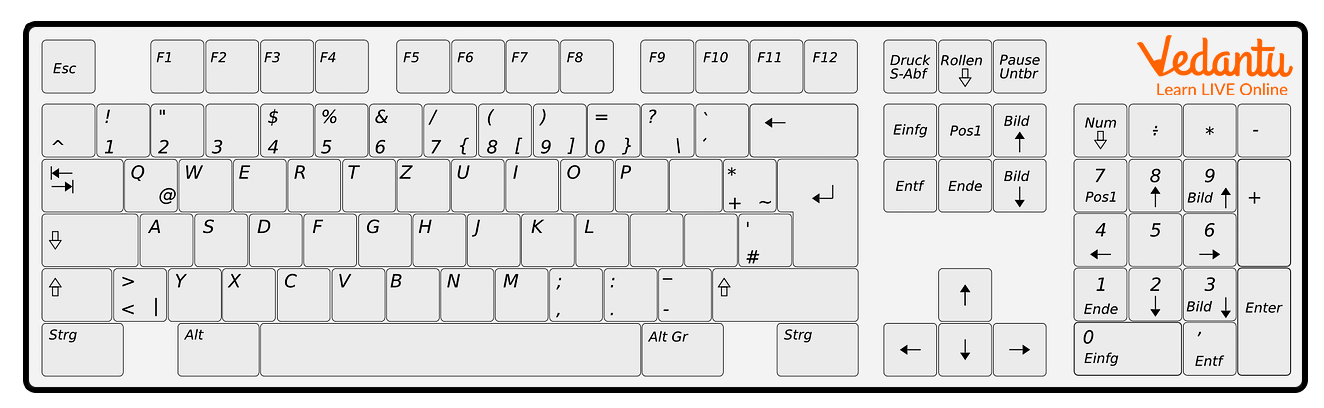
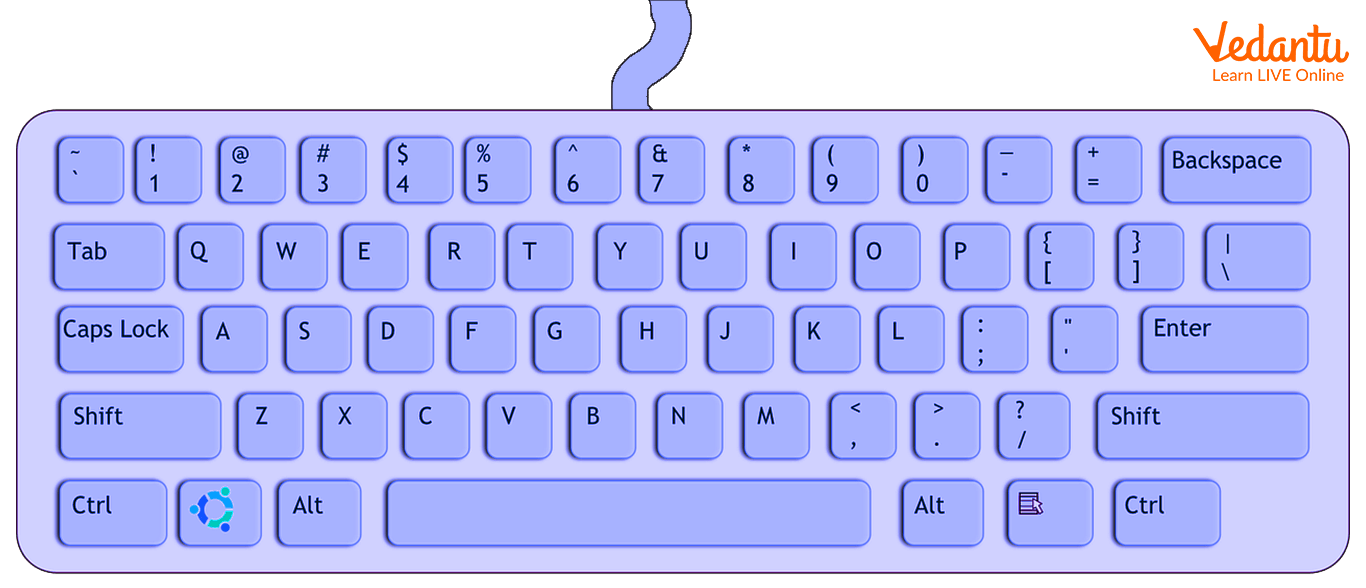
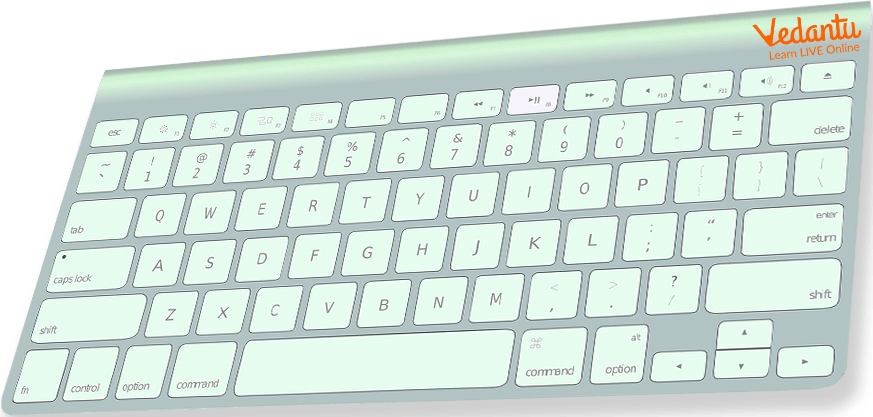

Common Types of Keyboards
| Type | Description | Example |
|---|---|---|
| QWERTY Keyboard | Standard layout with QWERTY arrangement | Most desktop keyboards |
| Wireless Keyboard | Connects via Bluetooth or RF | Bluetooth keyboard |
| Laptop Sized Keyboard | Compact keyboard integrated into laptops | Laptop built-in keyboard |
| Mechanical Keyboard | Uses individual mechanical switches | Gaming keyboard |
Each type is designed to suit different user needs such as portability, comfort, or gaming performance.
Components and Structure
A keyboard consists of several important components that work together to process input.
- Keycaps - The visible plastic keys pressed by the user.
- Switches - Mechanism under each key that registers a key press.
- Key Matrix - Grid of circuits used to detect key positions.
- Controller Chip - Processes signals and sends scan codes to the computer.
- Connection Interface - USB cable or wireless module.
Features and Characteristics
- Standard key layout such as QWERTY.
- Function keys such as F1 to F12.
- Numeric keypad for fast number entry.
- Shortcut key combinations like Ctrl + C and Ctrl + V.
- Backlit keys in modern keyboards.
- Ergonomic designs for comfortable typing.
Advantages
- Fast and accurate text input.
- Easy to use and widely available.
- Supports shortcut commands for efficiency.
- Essential for programming and documentation.
Disadvantages / Limitations
- Requires physical space.
- Typing errors can occur easily.
- Prolonged use may cause strain injuries.
- Not ideal for graphical input compared to a mouse or touch device.
Applications and Use Cases
- Typing documents and emails.
- Programming and software development.
- Data entry in databases.
- Gaming and multimedia control.
- Operating system navigation using shortcut keys.
Quick Facts About Keyboard
| Category | Details |
|---|---|
| Type | Input Device |
| Inventor | Christopher Latham Sholes |
| Layout | QWERTY, AZERTY, DVORAK |
| Connection | USB, PS/2, Bluetooth |
| Used For | Entering text and commands |
These quick facts highlight important details about the keyboard in computer science and its historical development.
Interesting Facts About Keyboard
- The QWERTY layout was originally designed for typewriters.
- Modern keyboards can detect multiple key presses simultaneously.
- Mechanical keyboards are preferred by gamers for faster response.
- Some keyboards are flexible and made of silicone material.
- Virtual keyboards are used on touch screen devices.
- Ergonomic keyboards are designed to reduce wrist strain.
Conclusion
The keyboard in computer science is a fundamental input device that enables users to communicate with computers effectively. Understanding the keyboard definition, working principle, types, features, and applications helps students grasp how hardware interacts with software systems. Despite the availability of touch and voice inputs, the keyboard remains one of the most reliable and widely used tools in computing. Its role in education, programming, data entry, and everyday digital tasks makes it an essential component of modern technology.
FAQs on Keyboard in Computer Science and Its Functions
1. What is a keyboard in Computer Science?
A keyboard is an input device used to enter text, numbers, and commands into a computer system.
- It is a primary hardware input device.
- Used to interact with the operating system, software, and applications.
- Essential for programming, data entry, and system control.
2. How does a keyboard work?
A keyboard works by sending electrical signals to the computer when a key is pressed.
- Each key press generates a unique scan code.
- The keyboard controller sends signals to the CPU.
- The operating system converts signals into characters or commands.
3. What are the main components of a keyboard?
A keyboard consists of several hardware components that detect and transmit key presses.
- Keycaps for typing characters.
- Switches (membrane or mechanical) under each key.
- Printed Circuit Board (PCB) to transmit signals.
- Controller chip to process input data.
4. What are the different types of keyboards?
Keyboards are classified based on design, switch technology, and connectivity.
- Mechanical keyboard
- Membrane keyboard
- Wireless keyboard (Bluetooth or RF)
- Ergonomic keyboard
- Virtual keyboard (software-based)
5. What is the difference between mechanical and membrane keyboards?
Mechanical and membrane keyboards differ mainly in switch mechanism and typing feedback.
- Mechanical keyboards use individual switches and provide tactile feedback.
- Membrane keyboards use pressure pads and are quieter.
- Mechanical types are durable but costlier.
- Membrane types are lightweight and affordable.
6. What are the main keys available on a keyboard?
A standard keyboard contains different categories of keys for various computing functions.
- Alphanumeric keys for letters and numbers.
- Function keys (F1–F12).
- Control keys such as Ctrl, Alt, Shift.
- Navigation keys like Arrow keys and Home.
- Numeric keypad for calculations.
7. What is the QWERTY keyboard layout?
The QWERTY layout is the most commonly used keyboard arrangement for typing.
- Named after the first six letters in the top row.
- Designed to reduce typewriter key jamming.
- Widely used in programming, web development, and general computing.
8. What are the advantages and disadvantages of a keyboard?
A keyboard is an essential input device but has both benefits and limitations.
- Advantages: Fast text entry, easy programming input, accurate data entry.
- Disadvantages: Requires physical space, risk of repetitive strain injury, limited for graphical input.
9. How is a keyboard used in programming and software development?
In programming, a keyboard is used to write source code, execute commands, and interact with development tools.
- Used to type syntax in languages like Python, Java, and C++.
- Shortcut keys improve productivity in IDEs like VS Code and Eclipse.
- Essential for command-line interfaces and debugging.
10. Why is the keyboard important for exams and interviews in Computer Science?
Understanding the keyboard is important for basic computer knowledge, competitive exams, and technical interviews.
- Common topic in computer fundamentals exams.
- Questions may cover types, components, and working principles.
- Helps in practical coding tests and online assessments.
