








How Working With Documents Happens in Word Processing Software
Working with documents is a fundamental skill in computer science and everyday computing. It involves creating, opening, editing, saving, printing, and closing digital files using word processing software such as Microsoft Word. Understanding how to manage documents efficiently helps users organise information, maintain records, and communicate professionally. In offices, schools, and businesses, document handling plays a crucial role in preparing reports, letters, assignments, and official forms. Learning the proper methods of working with documents improves productivity, accuracy, and data management skills.
Definition and Meaning
Working With Documents in computer science refers to the process of creating, managing, editing, storing, printing, and closing digital documents using software applications like MS Word.
- Document - A digital file containing text, images, tables, or other content.
- Word Processor - Software used to create and edit documents.
- File Management - Organising and handling files stored on a computer.
- Editing - Modifying the content of a document.
How It Works - Working Principle
The working principle of document management in MS Word involves interacting with file options provided in the software. Users perform different operations such as opening, printing, and closing documents through the File menu.
- Launch the word processing software.
- Click on the File tab to access document options.
- Choose the required action such as Open, Print, or Close.
- Perform editing or formatting if needed.
- Save the document to preserve changes.
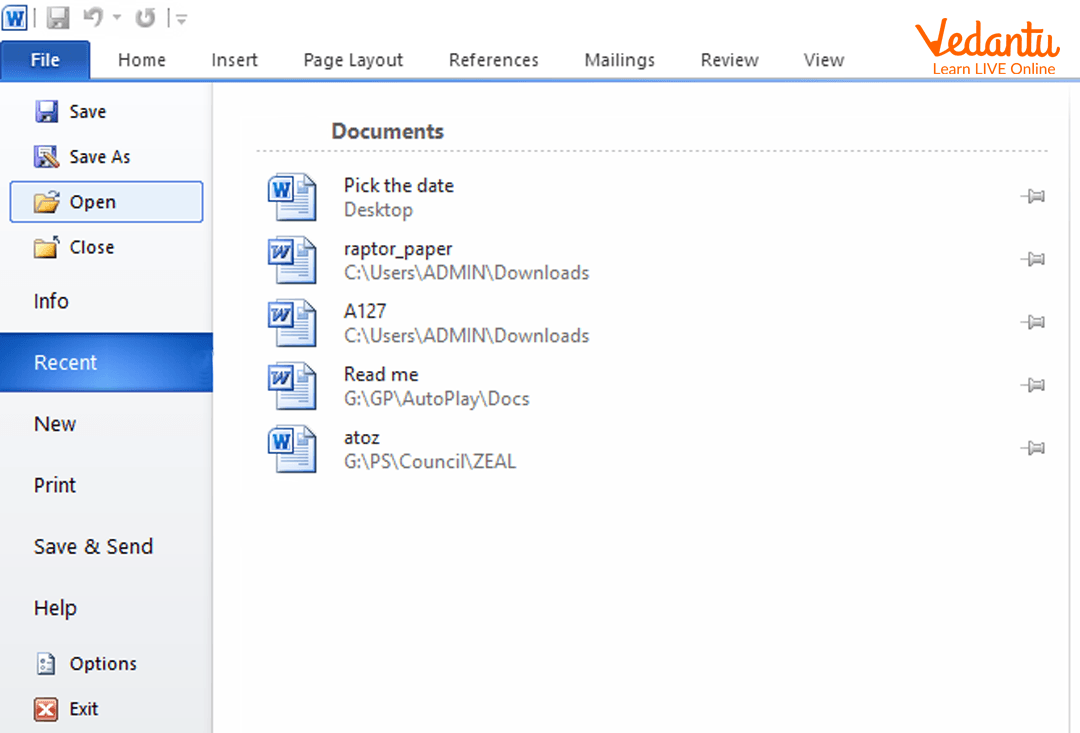
Open Option in MS Word
The Open option allows users to access an existing document stored on the computer or external storage.
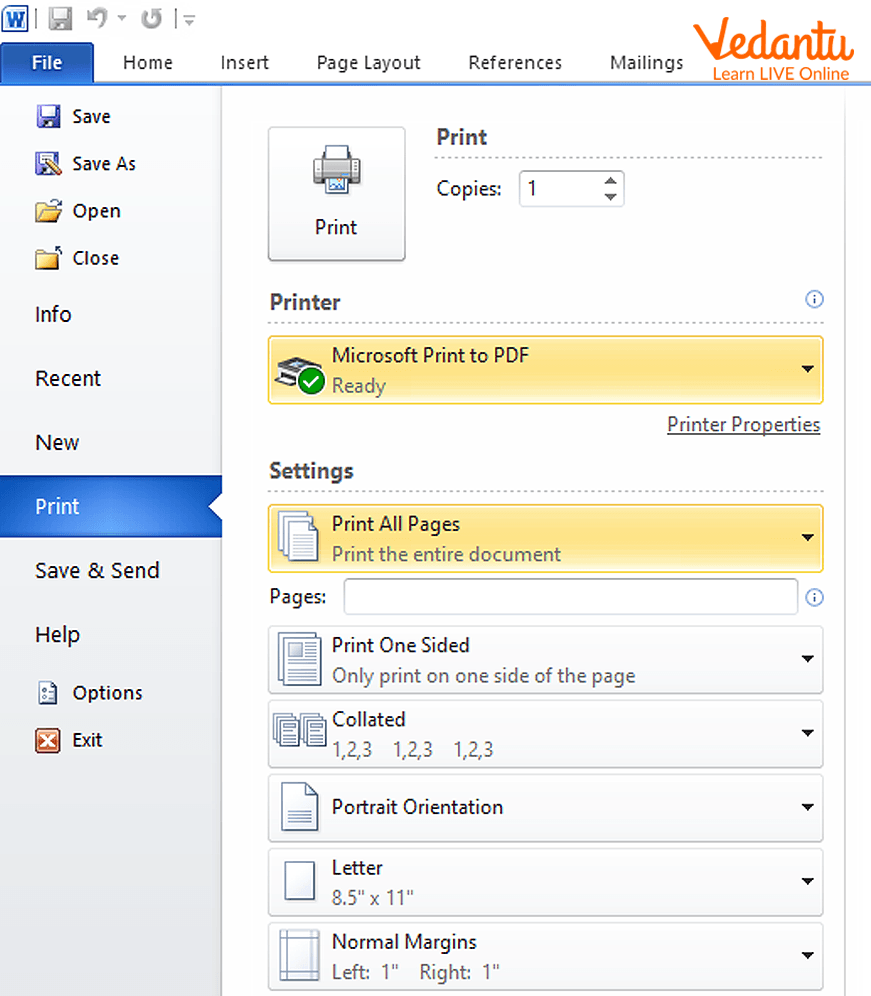
Print Option in MS Word
The Print option is used to produce a physical copy of the document using a printer. Users can select page range, number of copies, and printer settings.
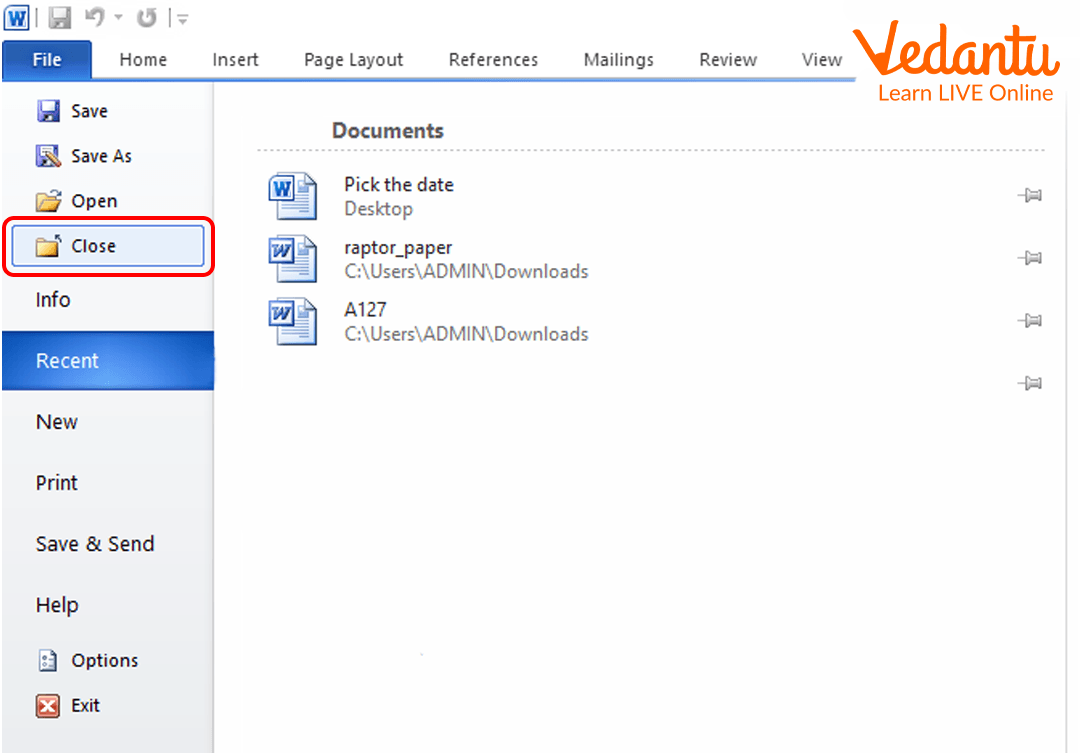
Close Option in MS Word
The Close option exits the current document without closing the entire application. If changes are not saved, MS Word prompts the user to save before closing.
Types and Classification
Documents can be classified based on their format and usage.
- Text Documents - Contain plain or formatted text such as letters and essays.
- Rich Text Documents - Include formatting like fonts, colours, images, and tables.
- Template Documents - Pre-designed formats used for reports or resumes.
- PDF Documents - Non-editable documents used for secure sharing.
Features and Characteristics
- User-friendly graphical interface.
- Supports text formatting and styling.
- Allows insertion of images, tables, and charts.
- Provides print preview and page setup options.
- Auto-save and recovery features.
- Compatibility with multiple file formats such as .docx and .pdf.
Advantages
- Easy editing and modification of content.
- Saves time compared to manual documentation.
- Professional formatting tools available.
- Secure storage and backup options.
- Efficient sharing through email or cloud platforms.
Disadvantages and Limitations
- Requires computer knowledge and access to software.
- Risk of data loss without proper saving.
- Compatibility issues between different software versions.
- Printing requires additional hardware like printers.
Applications and Use Cases
- Preparing school assignments and projects.
- Creating official letters and business reports.
- Designing resumes and application forms.
- Printing invoices and certificates.
- Maintaining digital records in organisations.
Quick Facts About Working With Documents
| Category | Details | Example |
|---|---|---|
| Software Type | Word Processing Software | Microsoft Word |
| File Extension | .docx | Report.docx |
| Primary Functions | Create, Edit, Print, Close | School Assignment |
These quick facts summarise essential information about working with documents in MS Word and similar applications.
Interesting Facts About Working With Documents
- The .docx format is based on XML technology.
- Auto-save reduces the risk of losing unsaved work.
- Print preview allows users to check layout before printing.
- Cloud integration enables document access from anywhere.
- Modern word processors support collaboration in real time.
- Documents can include multimedia elements such as audio and video.
Conclusion
Working with documents is an essential computer skill that enables users to create, manage, and share digital information effectively. From opening and printing files to safely closing them, each operation contributes to efficient document handling. Understanding the features, advantages, and applications of document management tools enhances productivity in academic and professional environments. Mastering this topic builds a strong foundation in computer literacy and digital communication.
FAQs on Working With Documents Concepts Tools and Applications
1. What does "Working With Documents" mean in Computer Science?
Working With Documents in Computer Science refers to creating, editing, formatting, storing, processing, and managing digital documents using software tools and file systems.
- Involves word processing software like Microsoft Word and Google Docs
- Includes file handling operations such as open, save, edit, and print
- Relates to document formats like DOCX, PDF, TXT, and HTML
2. What are the main types of digital documents?
Digital documents are classified based on structure, format, and purpose in computing systems.
- Text documents such as TXT and DOCX
- Formatted documents such as PDF
- Web documents such as HTML pages
- Spreadsheets and presentations like XLSX and PPTX
3. How does document processing work in a computer system?
Document processing works by allowing input, editing, formatting, storing, and retrieving text using application software and the operating system.
- User enters data through input devices
- Software processes content using formatting and editing tools
- File is stored in secondary storage such as HDD, SSD, or cloud
4. What are the key features of word processing software?
Word processing software provides tools to create and manage professional digital documents efficiently.
- Text formatting such as font, size, style, and alignment
- Spell check and grammar check
- Insert tables, images, and hyperlinks
- Export to PDF and other formats
5. What is the difference between DOCX and PDF file formats?
DOCX is an editable word processing format, while PDF is a fixed-layout document format designed for secure sharing.
- DOCX supports editing and formatting changes
- PDF preserves layout across devices
- PDF is widely used for official documents and printing
6. What is document formatting and why is it important?
Document formatting refers to arranging text and elements to improve readability and presentation.
- Includes margins, spacing, headings, and styles
- Improves professional appearance
- Important for academic exams, reports, and business communication
7. How are documents stored and managed in an operating system?
Documents are stored as files in a file system managed by the operating system.
- Saved with a file name and extension
- Organized into folders and directories
- Managed using file operations like copy, move, delete, and rename
8. What are the advantages and disadvantages of digital documents?
Digital documents offer efficiency and easy sharing but also raise security and compatibility concerns.
- Advantages: Easy editing, storage, backup, and cloud sharing
- Disadvantages: Risk of data loss, malware, and unauthorized access
- Requires software compatibility and digital literacy
9. How is document handling used in programming?
In programming, document handling involves reading, writing, and modifying files using file handling functions.
- Languages like Python, Java, and C++ support file I/O operations
- Common operations include open(), read(), write(), close()
- Used in data processing, logging, and database applications
10. Why is working with documents important for exams and interviews?
Working with documents is a fundamental Computer Science skill tested in school exams, competitive exams, and technical interviews.
- Common topic in basic computer applications syllabus
- Interview questions may cover file formats, file systems, and word processing features
- Essential for academic projects and professional documentation
