









Core Functions and Components of an Operating System Explained
An Operating System is one of the most important system software programs in a computer. It acts as a bridge between the user and the computer hardware, ensuring that applications run smoothly and system resources are managed efficiently. Understanding the Basic Concepts Of Operating System is essential in computer science because it explains how computers start, execute programs, store data, and handle multiple tasks at once. Without an operating system, modern computers, smartphones, and servers would not function effectively.
Definition and Meaning
Basic Concepts Of Operating System refer to the fundamental principles that explain how an operating system manages hardware and software resources in a computer system.
- Operating System definition - System software that manages computer hardware, software, and provides services to programs.
- Kernel - The core part of the OS that directly interacts with hardware.
- Process - A program that is currently executing.
- Memory Management - Managing RAM and allocating memory to programs.
- File System - Organizes and manages data stored on storage devices.
How It Works - Working Principle
The Basic Concepts Of Operating System working involve managing hardware resources and providing a platform for applications to run. The operating system controls CPU usage, memory allocation, input-output operations, and file management.
- When a computer is powered on, the OS is loaded into memory through a booting process.
- The kernel initializes hardware components such as CPU, memory, and storage.
- The OS creates and manages processes for running programs.
- It allocates memory and CPU time to each process.
- It handles input-output operations like keyboard input, mouse clicks, and printer output.
- It ensures security and access control for users and applications.
Types and Classification
There are different Basic Concepts Of Operating System types based on how they manage tasks and users.
- Batch Operating System - Executes batches of jobs without user interaction.
- Time Sharing Operating System - Allows multiple users to share system resources simultaneously.
- Multiprocessing Operating System - Uses more than one CPU for execution.
- Real Time Operating System - Provides immediate response within a fixed time limit.
- Distributed Operating System - Manages a group of independent computers as a single system.
Components and Structure
An operating system consists of several core components that work together.
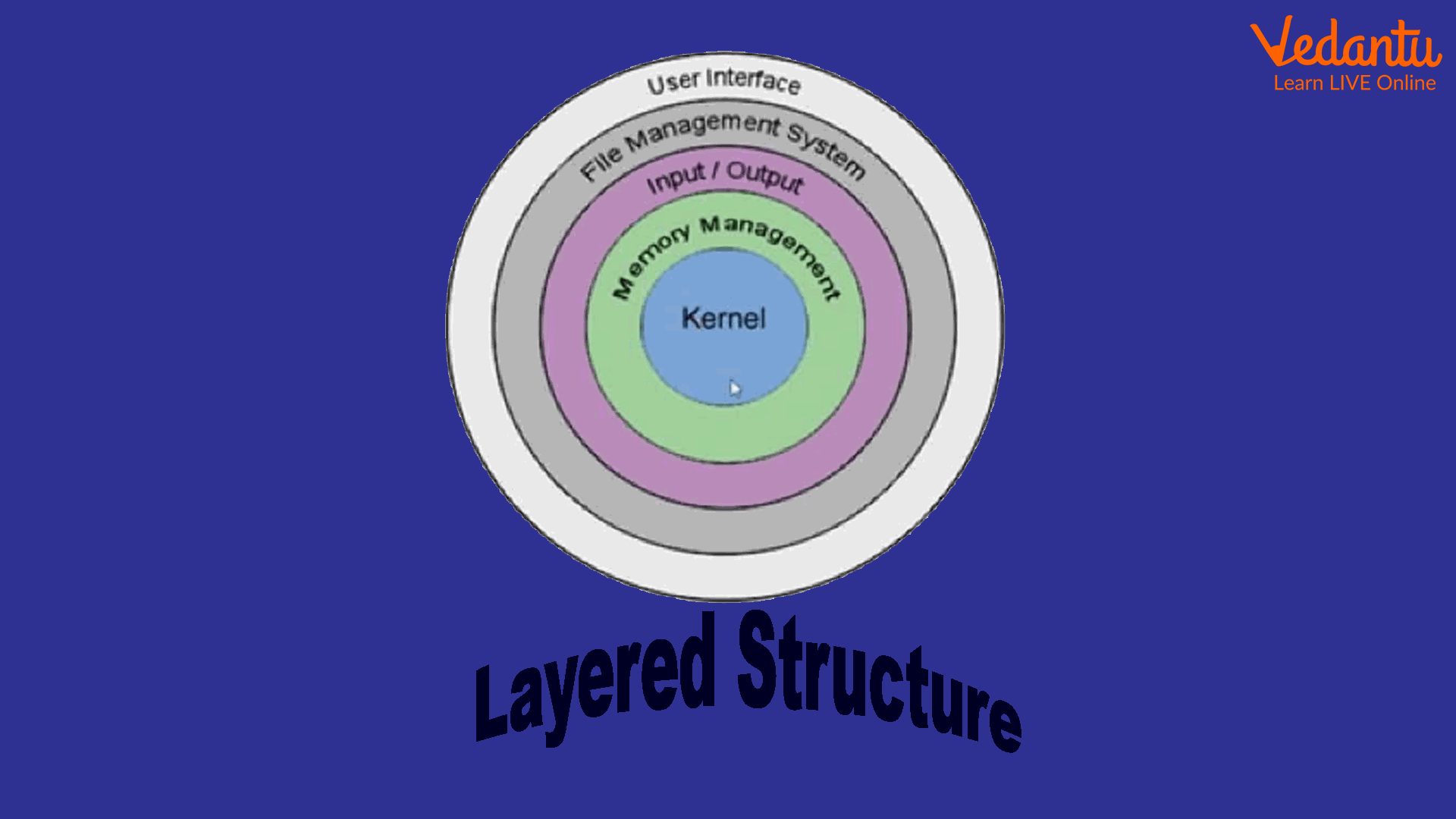
- Kernel - Core component that manages CPU, memory, and devices.
- Process Manager - Handles process creation, scheduling, and termination.
- Memory Manager - Allocates and deallocates memory space.
- File System - Organizes files and directories on storage devices.
- Device Drivers - Enable communication between OS and hardware devices.
- User Interface - CLI or GUI through which users interact with the system.
Common Operating System Examples
Some well-known operating systems illustrate the practical implementation of basic operating system concepts.
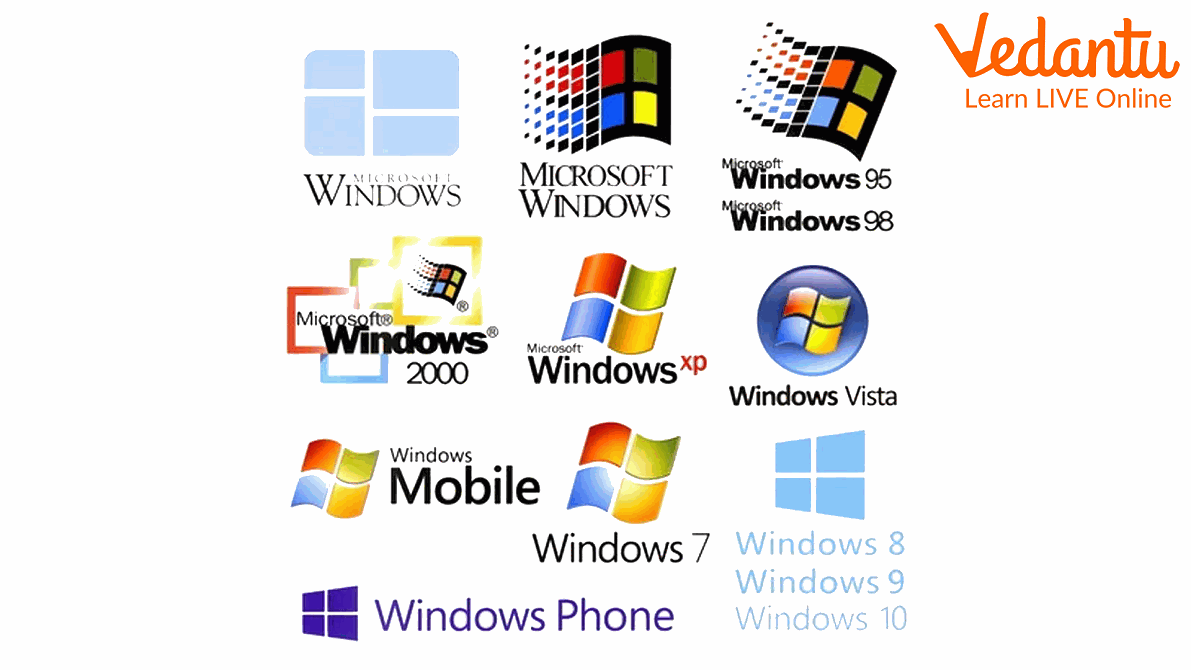

- Microsoft Windows - Popular GUI based operating system.
- UNIX - Multiuser and multitasking operating system.
- Linux - Open source operating system based on UNIX principles.
Features and Characteristics
- Multitasking - Runs multiple programs simultaneously.
- Multiuser Support - Allows multiple users to access the system.
- Security and Protection - Passwords and permissions for data safety.
- Memory Management - Efficient allocation and deallocation of RAM.
- Process Scheduling - Manages CPU time among processes.
- Device Management - Controls input and output devices.
Advantages
- Efficient use of hardware resources.
- Improved system performance through multitasking.
- User friendly interfaces.
- Security and controlled access.
- Supports software development and application execution.
Disadvantages and Limitations
- Complex design and maintenance.
- High memory and storage requirements.
- Security vulnerabilities if not updated.
- Cost involved in licensed operating systems.
Applications and Use Cases
- Personal computers and laptops.
- Smartphones and tablets.
- Servers and cloud computing systems.
- Banking and enterprise systems.
- Embedded systems such as ATMs and traffic control systems.
Quick Facts About Operating System
| Parameter | Details | Example |
|---|---|---|
| Type | System Software | Windows, Linux |
| Core Component | Kernel | Linux Kernel |
| Used For | Managing hardware and software | PC, Server, Mobile |
| Platform Support | Desktop, Mobile, Server | Windows, Android |
These facts summarize the fundamental aspects of operating systems in computer science and highlight their importance in modern computing environments.
Interesting Facts About Operating System
- The first operating systems were developed in the 1950s for mainframe computers.
- Linux is open source and freely available for modification.
- Modern operating systems support virtualization technology.
- Real time operating systems are used in space missions and medical devices.
- Mobile operating systems are optimized for battery efficiency.
- The kernel is often called the heart of the operating system.
Conclusion
Understanding the Basic Concepts Of Operating System is essential for anyone studying computer science. An operating system manages hardware, runs applications, ensures security, and provides a user interface for interaction. From personal computers to large scale servers, operating systems form the backbone of modern technology. Learning these concepts helps students understand how software and hardware work together to create efficient and reliable computing systems.
FAQs on Basic Concepts of Operating System for Beginners and Exams
1. What is an Operating System in Computer Science?
An Operating System (OS) is system software that acts as an interface between the user and computer hardware, managing resources and enabling application programs to run efficiently.
- Manages CPU, memory, storage, and input/output devices
- Provides a platform for application software
- Acts as a bridge between hardware and user
2. What are the basic functions of an Operating System?
The basic functions of an Operating System include managing hardware resources and controlling program execution.
- Process management (CPU scheduling, multitasking)
- Memory management (RAM allocation, virtual memory)
- File system management
- Device and I/O management
- Security and user management
3. What are the main components of an Operating System?
The main components of an Operating System work together to manage system resources and provide services to applications.
- Kernel (core part of OS)
- Process scheduler
- Memory manager
- File system
- Device drivers
- User interface (CLI or GUI)
4. What is the Kernel in an Operating System?
Kernel is the core component of an Operating System that directly interacts with hardware and manages system resources.
- Controls CPU scheduling
- Handles memory management
- Manages device drivers
- Ensures system security and stability
5. What are the different types of Operating Systems?
Operating Systems are classified based on their working and resource management techniques.
- Batch Operating System
- Time-Sharing Operating System
- Distributed Operating System
- Real-Time Operating System (RTOS)
- Network Operating System
- Mobile Operating System (Android, iOS)
6. How does an Operating System manage memory?
An Operating System manages memory by allocating and deallocating RAM to processes efficiently.
- Uses paging and segmentation
- Implements virtual memory
- Prevents memory leaks and conflicts
- Ensures optimal performance and multitasking
7. What is process management in an Operating System?
Process management refers to the creation, scheduling, and termination of processes by the Operating System.
- Handles process states (new, ready, running, waiting, terminated)
- Uses scheduling algorithms like FCFS and Round Robin
- Supports multitasking and multiprocessing
8. What are the advantages and disadvantages of an Operating System?
An Operating System provides convenience and efficient resource management but also has limitations.
- Advantages: User-friendly interface, efficient hardware use, security, multitasking
- Disadvantages: Cost (licensed OS), security vulnerabilities, system crashes
9. What is the difference between an Operating System and Application Software?
An Operating System manages hardware and system resources, while application software performs specific user tasks.
- OS: Windows, Linux, macOS
- Applications: MS Word, Chrome, Photoshop
- OS provides a platform for running applications
10. Why is Operating System important for exams and interviews?
Basic concepts of Operating System are frequently asked in school exams, competitive exams, and technical interviews.
- Common topics: process scheduling, deadlock, memory management, file system
- Important for GATE, UGC NET, placements, and coding interviews
- Forms the foundation of system programming and cybersecurity
