






Stepwise Process for Accessing NEET 2026 Results in DigiLocker
For every NEET 2026 aspirant, accessing your official NEET rank card or marksheet from DigiLocker is an essential step after the result is announced. The NEET rank card and marksheet downloaded from DigiLocker are accepted as authentic digital documents and are required for counselling, admissions, and further verification processes. In this detailed guide, you’ll learn exactly how to download your NEET rank card, marksheet, rank letter, and confirmation page from the DigiLocker app, including simple step-by-step instructions and important reminders to make the process hassle-free.
Why Download NEET Marksheet and Rank Card from DigiLocker?
The National Testing Agency (NTA) issues NEET 2026 result documents directly to DigiLocker, the government’s secure digital locker service. Accessing your NEET marksheet and rank card from DigiLocker ensures the documents are official, tamper-proof, and valid for counselling and college admissions. DigiLocker documents help you avoid the risk of lost or damaged paper copies and simplify the admissions process, especially when applying to multiple colleges or at counselling venues.
Pre-requisites Before Downloading NEET Documents from DigiLocker
Before you begin, make sure you have the following ready:
Registered mobile number used during NEET 2026 application.
DigiLocker account (linked to your mobile number/Aadhaar).
NEET roll number and application number (as per admit card).
These details are crucial to access your NEET result DigiLocker documents without any errors. If you haven’t registered on DigiLocker, you can create an account directly from the app using your Aadhaar or mobile.
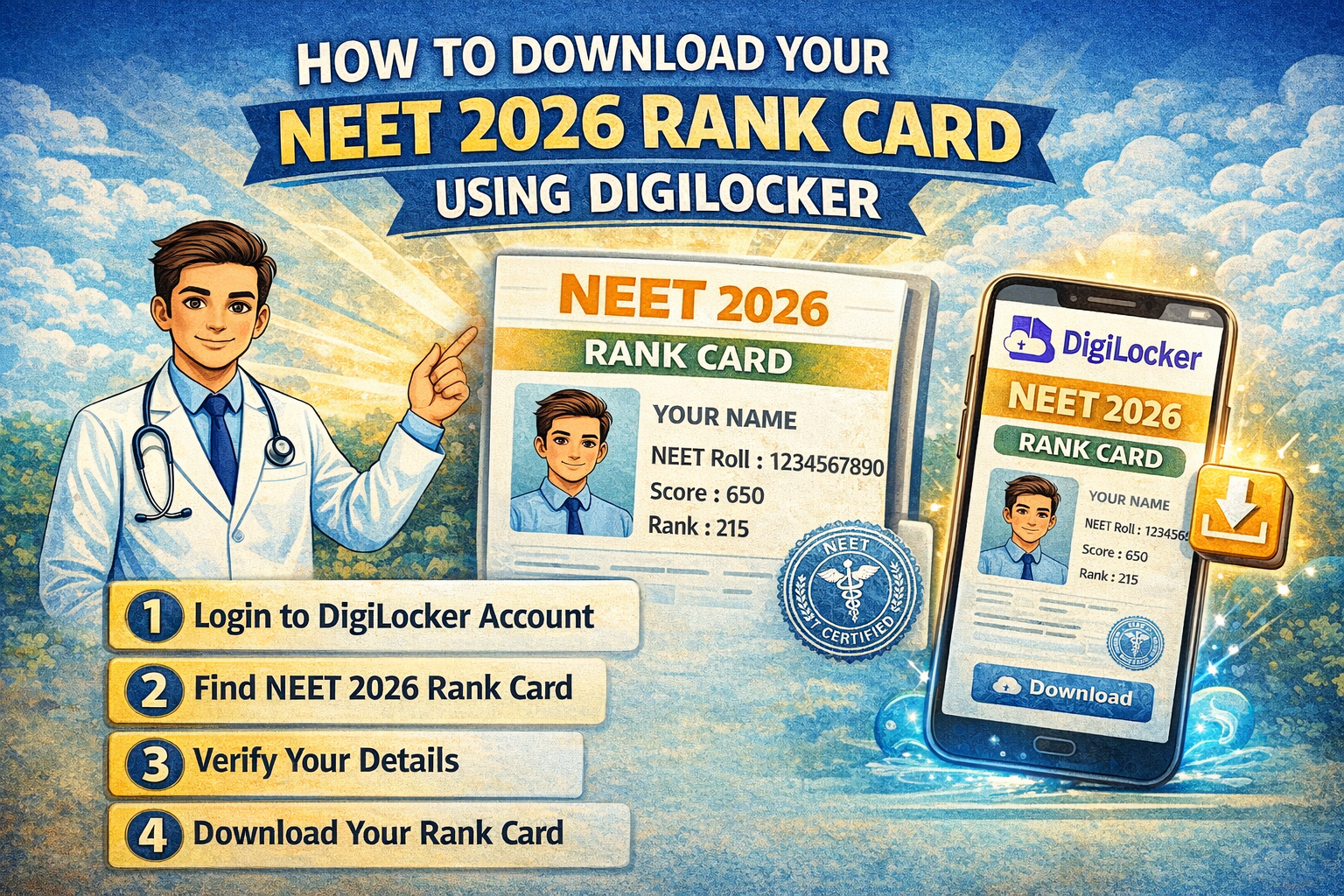
Step-by-Step Guide: How to Download NEET Rank Card from DigiLocker App
After the NEET 2026 results are declared, follow these steps to access and download your NEET rank card, marksheet, and other relevant documents in DigiLocker:
Download the DigiLocker App: Install the official DigiLocker app from the Google Play Store or Apple App Store on your mobile device.
Sign In or Register: Open the app, sign in using your mobile/Aadhaar number, or register for a new account if you’re using it for the first time.
Access Issued Documents: On the dashboard, tap “Issued Documents,” then select “Education” or use the search bar in the app.
Find National Testing Agency (NTA): Search for “NEET” or “National Testing Agency” in the list of issuers.
Select NEET UG 2026 Documents: Choose the specific document you wish to download:
NEET 2026 Marksheet/Scorecard
NEET 2026 Rank Letter (if available)
NEET 2026 Confirmation Page
Enter Required Details: Enter your NEET 2026 roll number and application number as prompted.
View and Download: Your NEET marksheet DigiLocker document will be displayed. Tap to download or save it to your device. The document is digitally signed and contains a QR code for verification.
How to Download Other NEET Result Documents on DigiLocker
Along with the rank card, students often need to access the following documents through the NEET DigiLocker platform for various admission and verification purposes:
NEET Marksheet DigiLocker: Serves as your official scorecard, showing subject-wise and total marks.
NEET Rank Letter Download: Confirms your All India Rank. A separate rank letter may be issued for AIQ counselling.
NEET Confirmation Page: Acts as proof of application and payment, needed during admission and sometimes counselling.
The process to download each of these is essentially the same as the steps listed above. It is important to always check whether the latest NEET 2026 result DigiLocker documents are available, as errors can occur if you try to download before the official release.
Troubleshooting Common Issues While Accessing NEET Documents
Students can sometimes face problems while accessing their NEET result DigiLocker documents, such as display errors, document not found, or log-in issues. Here are some quick tips to resolve common issues:
Confirm that your NEET 2026 results have been officially published and are available on DigiLocker.
Recheck your roll number and application number for any typos.
Ensure your DigiLocker account mobile number matches the one used for your NEET application.
If the problem continues, try logging out, clearing cache, or using a different device.
Contact DigiLocker support or NTA helpline for persistent issues.
Always save a backup copy of downloaded NEET scorecard and other documents on your cloud storage and device, as you will need them multiple times during counselling and admissions.
NEET 2026 Admission and Counselling: Importance of DigiLocker Documents
Your NEET 2026 marksheet and rank card from DigiLocker are mandatory for all counselling rounds, including All India Quota (AIQ) and state counselling. During admission at medical colleges, authorities will ask for your digital or printed DigiLocker document for verification. Without this, your admission process could be delayed or put on hold.
If you are unsure about the complete NEET admission process or the role of these documents, you can learn more about getting admitted to private medical colleges through NEET for deeper guidance.
Key Reminders for NEET 2026 Candidates Using DigiLocker
The NEET DigiLocker rank card and marksheet are accepted nationwide for admission purposes.
Never share your DigiLocker login details with others.
If you need certified paper copies, you can print the digitally signed PDF from DigiLocker.
Always verify the authenticity using the QR code included on the document.
Keep your DigiLocker and registered mobile numbers up to date for uninterrupted access.
Maintaining your NEET result DigiLocker documents in an organised manner is one of the first steps to a smooth counselling and admission experience.
Accessing and downloading your NEET 2026 rank card, marksheet, or confirmation page through the DigiLocker app is a straightforward process, provided you keep your credentials and roll number handy. Make sure to use only the official DigiLocker app and always check for timely updates from NTA. Secure storage and authenticity of your NEET result documents are as important as preparing well for the exam. For more guidance on NEET preparation strategies and rules, explore Vedantu’s resources like the best NEET preparation tips or review the latest NEET rules and regulations relevant for 2026 aspirants.
FAQs on How to Download Your NEET 2026 Rank Card Using DigiLocker
1. What is a NEET rank card and why do I need to download it from Digilocker?
A NEET rank card is an official result document showing your NEET score, rank, and qualifying status, and downloading it from Digilocker ensures it's authentic and digitally verified.
2. How can I download my NEET rank card using the Digilocker app?
You can download your NEET rank card by logging into the Digilocker app, searching for 'NEET', and selecting the correct document to download your result.
Open the Digilocker app and log in with your credentials.
Go to the 'Issued Documents' or search for 'NEET Rank Card'.
Select and download your NEET rank card.
3. What are the steps to access my NEET 2024 rank card on Digilocker?
To access your NEET 2024 rank card, log in to Digilocker, search for the NEET document under the National Testing Agency section, and download the rank card.
4. Is Digilocker an official source for downloading the NEET rank card?
Yes, Digilocker is an official government platform authorized to provide digitally signed NEET rank cards.
5. Do I need any specific details to download my NEET rank card from Digilocker?
Yes, you need your NEET roll number and sometimes your date of birth to download the NEET rank card from Digilocker.
6. What should I do if my NEET rank card is not visible in the Digilocker app?
If your NEET rank card is not visible, check if your details are entered correctly and ensure the exam authorities have released the document to Digilocker.
7. Can I use the NEET rank card from Digilocker for counselling and admissions?
Yes, colleges and counselling authorities accept the digitally signed NEET rank card downloaded from Digilocker as a valid document.
8. Is it safe to keep my downloaded NEET rank card from Digilocker for future reference?
Yes, the NEET rank card saved from Digilocker is safe for future reference as it is digitally authenticated and easily accessible.
9. Do I need to pay any fees to download my NEET rank card from the Digilocker app?
No, downloading your NEET rank card from the Digilocker app is completely free of charge.
10. Can I print the NEET rank card downloaded from Digilocker for offline use?
Yes, you can print the NEET rank card downloaded from Digilocker, and it will be considered valid for official purposes.
